Posts

Showing posts with the label JSInterop

Sign In best practices, Blazor Style
Image
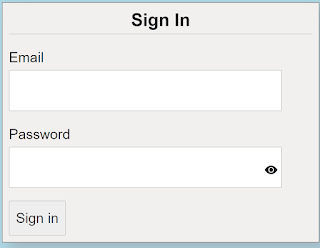
  When you think about it, application sign-in forms would seem fairly straight forward and simple to do, considering that most applications have them.  Make a form, add a couple of labels and inputs with a button and you are good to go. When you stop and think about it though, there is a lot that goes into making a good sign in form.  We are going to take a look at 5 best practices you can use when creating your next sign-in form.  The key concept to keep in mind is to make it simple.  You have to always consider that your users are not as computer savvy as you are.   The sample project that focuses on the sign-in form HTML and Blaozr code.  There is no real authentication for the application.  Any email and password, that meets the validation, will allow the user to get to the home section of the application.  Please note this code will work on either server-side Blaozr of web assembly Blazor We will look at each of the 5 best practice...

Blazor Autofocus on Input field

Image
My use case is that when a data entry form is displayed I want the first input field to have the focus set on it. In a straight HTML application you can just use the autofocus html attribute.  But as the writing of this post, Blazor does not support the autofocus attribute naturally or with using the @attribute dictionary assignment.  In order to meet this use case, we will need to use JSInterop.  This is a little disappointing but it does show the flexibility of Blazor. To achieve the experience we want, we will use java-script to set the autofocus attribute on the input field we want.  We will create a function and pass in the CSS to look for. In the java-script, we will use a selector to find the CSS class name passed in and then set the autofocus attribute:     function focusInputFromBlazor(selector) {         var input = document.querySelector(selector);         if (!focusInput(input)) {     ...

Blazor - Simple Data Grid

I have a reoccurring use case to for a simple data grid in many of my applications.  There are several good data grids for Blazor available that have a lot of features and can display millions of records.  My needs are not that advance, simple functionality and less than 1000 records.  Just enough that a regular table is not enough, and the full data grids are a little overkill. I could get one of the available grids and only use the parts I need, but I thought I would be better to build own for a couple of reasons. Get more experience with Blazor  Fully understand what it takes to build a reusable UI component  I did not want to have to learn new syntax for a data grid  My requirements for the data grid are:  CSS styled  Sort-able columns  With indicator  Show record selected  Pagination of data  I am going to take the Fetch data sample Blazor application and update it to use my new data grid.  CS...