Posts

Showing posts with the label Fun

Blazor Sound Boared

Image
  This is a cute little application that will allow the user to click a button and play a sound in a Blazor application. How it works We started with the 6 sounds, see image.  We added those mp3 files to our web application so we can access them from the application. We generated a list of the names of the sounds we will be supporting:     List<string> sounds = new List<string>()     {         "applause", "boo", "gasp", "tada", "victory", "wrong"     }; HTML Tags For this application we will need an audio tag for each sound and a button for each sound:     <audio id="boo" src="/sounds/boo.mp3"></audio> For the button:         <button type="button"              Boo          </button> Normally we would have 6 each of these tags, but with Blazor we can do a couple of for loops, We'll need a method to build the...

Blazor 3d Boxes

Image
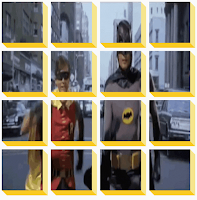
  Here is another fun Blazor project to try.  You take an image, an animated gif works best, and divide it up into 16 boxes.  You give the boxes a 3d look.  You add a button that switches between the nine boxes and a single box.  View it live here , it looks pretty cool. Implementation There are a couple of Blazor coding items that we have to be able to do.   1.  Add on click event handler 2. Use inline logic to set a style 3. Use a method call to set a style The Click Handler For the button that starts, and switches between views, we need a click event handler.  We have done this many times before, so it is very straightforward: <button id="btn" class="magic" @onclick="ShowBoxesInDisplay">Magic 🎩</button> What is cool about this, is including the image for the button right in the source code. Inline Logic to set a style For the container of the image, we need to add a style called big if we want the 16 boxes, we need to rem...

Fun with Dad Jokes

Image
I was browsing Javascript projects that are available online so I can convert them to  Blazor.  It is fun to try to do everything they did in JavaScript in Blazor.  I came across this application.   This project was created just for pure enjoyment.   There are a couple of Blazor changes that were needed, but overall it is fairly straightforward and a ton of fun to implement. The implementation was to make an API call to get a Dad joke from a Dad Joke service, yes they have those.  Then get a random image to display, then display the image on each request. The project was inspired by Brad at Traversy Media .  He has a ton of great videos and courses on web development.  He does a good job of explaining the details as well.  You should check him out. Applications Objective The application is an entertaining project that just felt good to build.  It will randomly display a dad joke with a random image. It is that simple. Blazor Pa...

1st step is to admit you have a problem

Image
I normally don't like to use the term "problem".  I prefer to see it as an opportunity or a "challenge".  Even when reporting a bug, I prefer to see it as a "coding opportunity". I think I do have a problem, though.  I gave up watching TV.  I am down from about 6 hours to about 1 hour a day.  That is a very good thing.  What I have replaced it with might be just as bad. It started out with good intension.  I wanted to improve my CSS skills.   I have had a PluralSight subscription for years and I use it often.  For my CSS skill upgrade, I was looking for a very specific Flexbox and  CSS Grid content.  PluralSight was overkill for this.   So I turned to YouTube ! I had been on youtube for music, how-tos, and animal videos, but not really for technology videos.  Once I searched for Flexbox, I found a treasure troll of great contact, all free. What I did learn was to watch a vary of different presentations on the sam...