Posts

Fun with Dad Jokes

Image
I was browsing Javascript projects that are available online so I can convert them to  Blazor.  It is fun to try to do everything they did in JavaScript in Blazor.  I came across this application.   This project was created just for pure enjoyment.   There are a couple of Blazor changes that were needed, but overall it is fairly straightforward and a ton of fun to implement. The implementation was to make an API call to get a Dad joke from a Dad Joke service, yes they have those.  Then get a random image to display, then display the image on each request. The project was inspired by Brad at Traversy Media .  He has a ton of great videos and courses on web development.  He does a good job of explaining the details as well.  You should check him out. Applications Objective The application is an entertaining project that just felt good to build.  It will randomly display a dad joke with a random image. It is that simple. Blazor Pa...

Blazor UI Component Library

Image
 I was reviewing some sample code the other day and I noticed that the index.html file had a lot of linked CSS files.  This got me thinking: "Question: If UI components are in separate assemblies and use CSS isolation, would you still need to include the CSS file?" The short answer is NO.  if you use CSS isolation, you don't need to include the CSS files. We can go from this: <link href="ComponentLibCSS.styles.css" rel="stylesheet" /> <link href="/_content/Assembly1/styles.css" rel="stylesheet" /> <link href="/_content/Assembly2/styles.css" rel="stylesheet" /> <link href="/_content/Assembly3/styles.css" rel="stylesheet" /> <link href="/_content/Assembly4/styles.css" rel="stylesheet" /> To just this: <link href="ComponentLibCSS.styles.css" rel="stylesheet" /> A key point to remember for this you must be on .Net 5 or gre...

Static Bootstrap website to Blazor - Updated

Image
I have been spending some time working with Azure static websites and it got me thinking I should do a post about them.  The more I have been working with the Azure static websites, the more I like them. So I decided to dust off an old post, Static Bootstrap website converted to Blazor .  In this old post, I took a common Bootstrap-themed static website and "Blazorized" it. In the original project, I created components, removed as much of the javascript as I could, and used Blazor.  This was done back in Nov of 2019 as a server-side application.  This was right around the time Blazor server-side went GA and the Web Assembly was still at least 6 months left to go in development. For this post, I will be creating a Blazor Web Assembly version of the project that is built for Azure Static Websites and that actually works.  I hope to document as many of the changes as I can.   Once I fired up the old project, the project did not even compile anymore. ...

Blazor new and improved Search Box

 Back in March, I posted a new Blazor data grid with a search box ( see post ).  Since then I have found a new and improved search box that I wanted to implement.  The search part is implemented the same.  What I added was the ability for the user to narrow down the search by selecting which field they wanted to search on.  This will help the user find what they are looking for and in a large collection, the search will end up being faster. The goal of making the change was to make the search box a new component and have it handle the UI functionality part. Prep Work Here is the prep work I did before adding the search box: Started with the source code from the post listed above. Upgraded the project to .Net 5 Upgraded the Nuget packages that were out of date. Ensured every build and run. Change to a Component I wanted to create a component for the search box so I could use it in other applications.   1. Create a Folder under UIControls called "SearchB...

Function vs. Web API.

Image
  I have several projects I have been looking at doing and I have been struggling with whether to use Azure functions or to build APIs and host them as an Azure app service. In this post, I am going to try to figure out what is the best solution based on functionality, reuse, cost, maintenance, and ROI. This post will not cover the in-depth technical difference between functions and web API.  The end result is for me to understand which one will work under a different use case. Advantages of Functions a. Code in the Browser     Not only am I not interested in this one, I think it is a disadvantage.  If you or your team are un-disciplined about your changes, a bad thing can happen. b. Additional languages supported     Not interested in this one either.  There is a side effect, what if a team member coded a function in Python and left the team, that supports it. c. Point and click integration with other Azure services like Blob Storage and Comos ...

Blazor Hang 'Um

Image
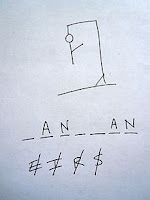
 I found a cute hangman game sample project using javascript so I thought it would a be cool little Blazor application.  The UI was good, but there was a lot of interactivity with the application that would need to be rewritten in C#. The flow of the application is the normal flow of a hangman.  You guess a letter of the word until you either run out of guess and hand the guy or you get the word. In this post, I wanted to highlight the unique parts that I had to do to make if a Blazor application. Steps of the project 1. Create a project 2. Port over the HTML/CSS 3. Get a list of words to use 4. Show the hangman frame 5. Show how many letters in the word 6. Allow the user to guess 7. Show the letter if correct 8. Show a piece of the hangman and show the wrong letter if incorrect 9. Check to see if out of guess, if so end game 10. Did they get the word, if so end game Create a Project You just need to create a normal Blazor project with no authentication.  I choose th...

.Net Conf 2020 Day 3

Image
 Summary I learned my lesson from trying to attend too many sessions yesterday.  Today I am focusing on the Blazor sessions. 1. Application State in Blazor Blazor Train on YouTube - Carl Franklin It was nice to hear Carl again Been a fan since early .Net Rocks App State Instances of objects stored in memory SPAs are stateful Scoped  Create "State Bag" - User Scoped 1 instance per user Class for object reference Use scope service For application instance use Singleton Web Assembly - not needed because there is 1 user Class level Transient Multiple copies of the same data across pages Implement a state bag Cascading Component Scoped Service Hybrid Approach Cascading Component with scope service Add the Hybrid solution at the router level It is like making an observable at the app level In AppState service, he is handling events as opposed to just holding state Saving Application-level state Local Storage 5 Meg limit AppState Persistence Pattern Do it in 1 location On Server...